
Mobile-First Builds
Responsive websites and apps that work beautifully on desktop, tablet, iOS and Android.
Custom website design and app development for Australian businesses that need a fast, modern and responsive online presence that turns visitors into enquiries.
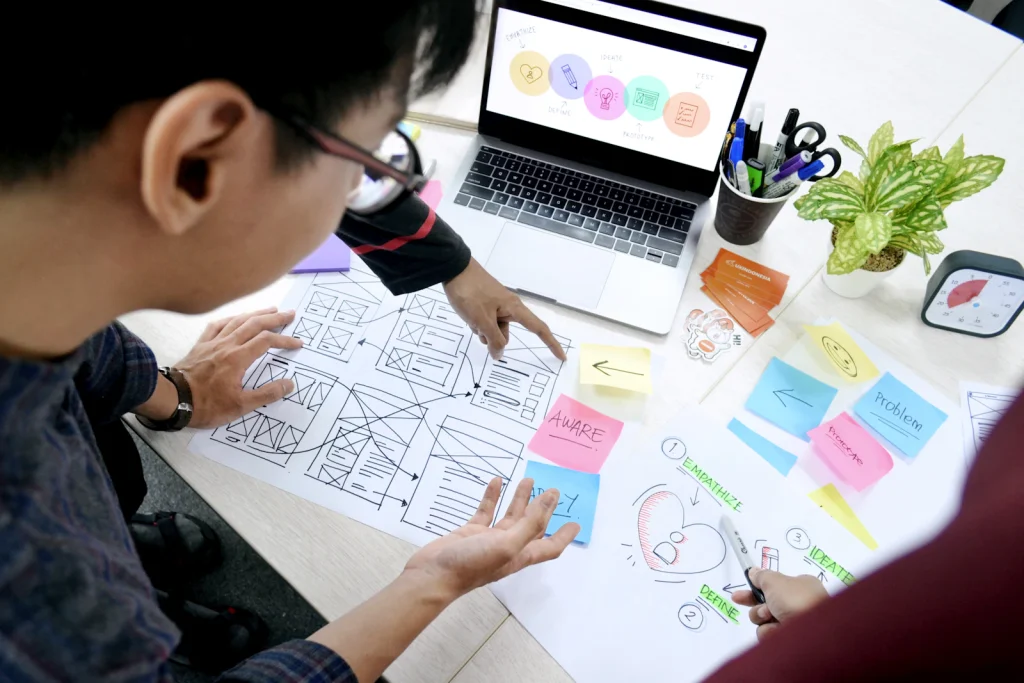
Responsive websites and apps that work beautifully on desktop, tablet, iOS and Android.
Site structure, content and user journeys planned for search visibility and conversions.
Ongoing updates, hosting support, speed improvements and practical launch guidance.
Every design is shaped around your brand and goals, never squeezed into a generic template.
We know the NDIS sector. Your website is more than a brochure: it is your intake system, your credibility and your growth engine. We build sites that do all three, connected to your compliance and registration systems.
Every SOL service is built on clear communication, scoped deliverables, secure payments and ongoing visibility in your client portal.
Each service is confirmed against your goals, timeline, inclusions and the business information we need.
You receive genuinely useful documents, setup work, reports, website assets, campaign plans or compliance materials, depending on your service.
Track service payments, requests, documents, updates, support tickets and deliverables in your client portal.
SOL keeps communication simple, with consultations, follow-ups, support updates and clear next actions.
Book a consultation and SOL will confirm the right package or next step before you pay.
A simple, professional path from enquiry to payment, portal access, document review, delivery and support.
You share your goals, service type, timeline and business details so SOL can confirm the right direction.
Inclusions, exclusions, required documents, communication method and next steps are agreed before work begins.
You pay securely through the service payment page once the amount and service are agreed.
Your client portal shows service records, payment history, requests, documents and updates.
You upload requested documents or raise support tickets, and our team reviews, verifies and responds.
SOL delivers your work, progress updates, next actions and support outcomes for the service you purchased.
A clear breakdown of who this service is for, what you receive, how delivery works, and what to expect before booking or paying.
Only make a service payment after SOL confirms your scope, service type, agreed amount, and next step. If you are unsure, book a consultation first.
After payment, clients can use the client portal to track service records, requests, documents, tickets, admin updates, and deliverables.
No. We always confirm the right service and scope with you first, so you only pay for what you need.
Your client portal shows service records, documents, requests, progress updates, support tickets and payment history in one place.
Yes. Scope, deliverables and timing are adjusted to suit your business, budget and goals.
Book a consultation before payment if you are unsure about scope, timeline, or inclusions.
Tell us about your project and we will send a tailored proposal within 1 business day.
Glenroy VIC 3046, Australia
SOL Assistant
Online and ready to help
AI replies can be wrong. For anything urgent call +61 460 003 494
Accessibility Adjustments
Shortcut: Alt + A
Stops animations and tones down strong colours so flashing or moving content is less likely to cause discomfort.
Increases text size and contrast, switches to an easy-to-read font and shows a clear outline around whatever has keyboard focus.
Stops animations and adds a reading mask that dims everything except the lines you are reading.
Highlights headings and links, uses an easy-to-read font and stops moving content.
Shows a strong focus outline and adds shortcuts: H headings, L links, B buttons, F form fields, G images, M menus. Hold Shift to go back.
Reads text aloud when you click it or move to it with the keyboard. If you already use a screen reader such as JAWS, NVDA, VoiceOver or TalkBack, the site works with it and you don't need this.
Increases text size, line spacing and contrast, and stops animations for a calmer, easier read.
Read Aloud is on. Click any text, or select some, to hear it.
Keyboard shortcuts are on: H headings, L links, B buttons, F form fields, G images, M menus. Add Shift to go back.
Your choices are saved in this browser only.